Magic GridOpt-in · Live-only · Never GPS
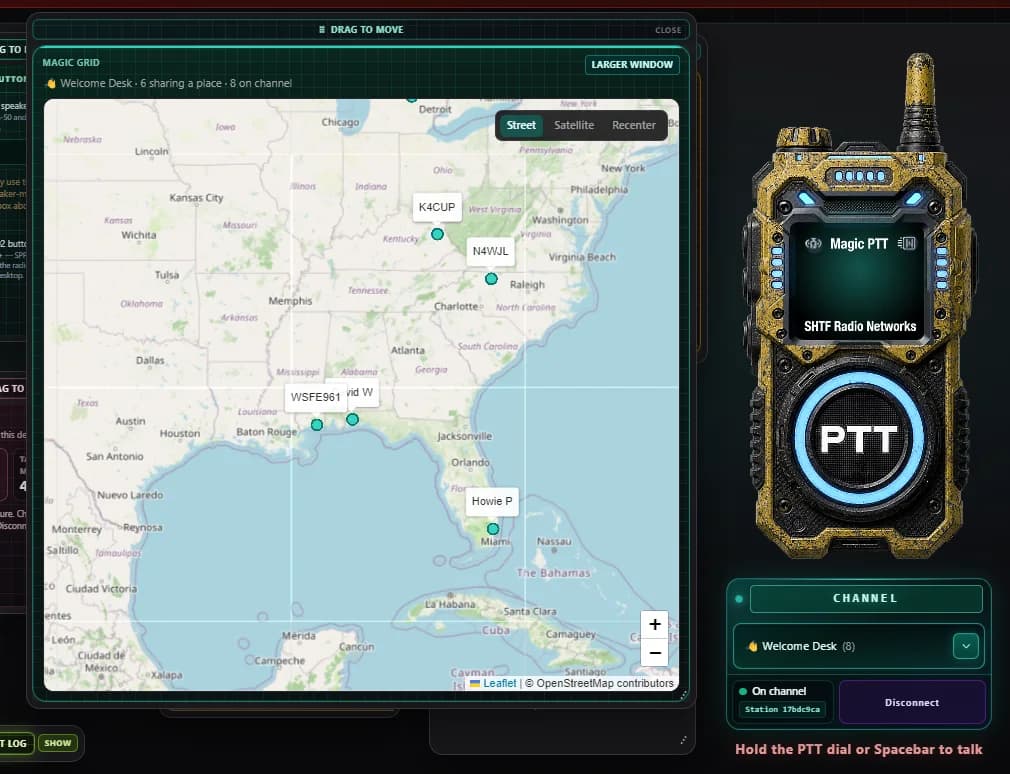
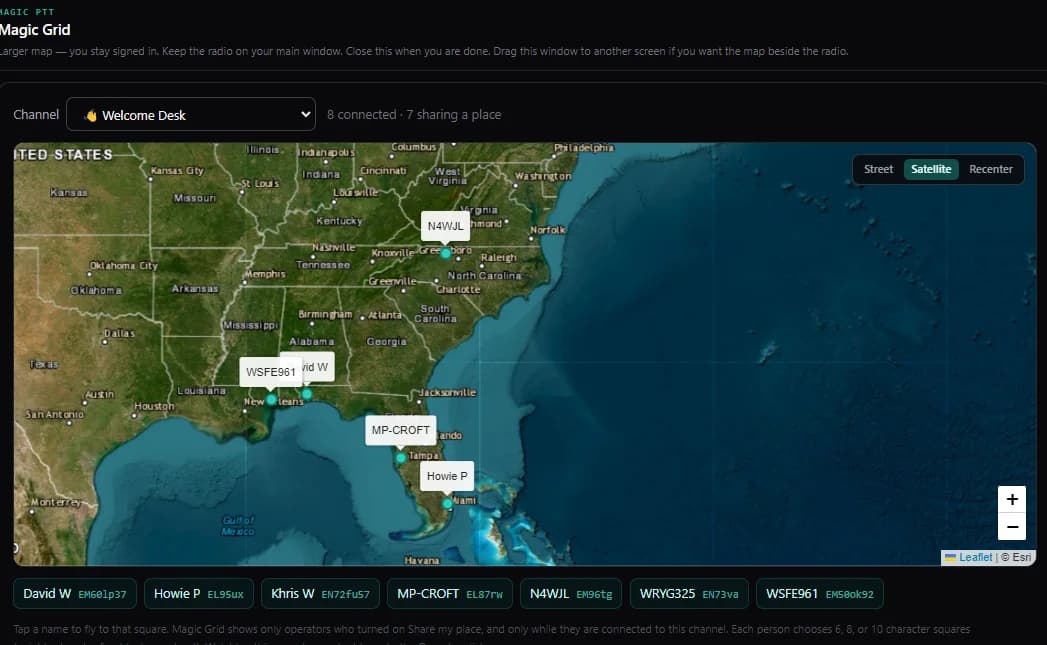
Flip Share my place and your Maidenhead grid square appears beside your name in Operators — and glows on the live channel map, street or satellite. A 6-character square is a neighborhood, not a house. The moment you disconnect, you vanish from the map. That is the whole deal.
One tap
The Share switch lives on the radio
The fastest way on the map is the Share switch at the bottom of the Operators panel — one tap and your square is live. Phones take one location fix each time you Connect. Desktop PCs have no GPS, so the app uses network location — or type your grid or street address once (looked up one time, never saved) and it is pinned on that machine.
Your square, your size
6, 8, or 10 characters — you pick the precision
Six characters is a neighborhood (about 3 × 4 miles). Eight is a few blocks. Ten is about a street. Default is 6, and a typed grid or postcode always wins over network location. It is always a grid square — never coordinates.
The live map
Street or satellite — and a Larger window for the second monitor
Tap any teal grid badge on Operators and the map opens right on the radio page — you stay connected. On a computer, Larger window opens a real second window you can drag beside the radio, still signed in. Tap a name under the map to fly to that operator. Watching the map is invisible — it never adds you to the map or the Operators list.
Privacy is the design
Off by default. Nothing stored. Gone when you leave.
Magic Grid is opt-in and off until you flip it. It shares your grid square only — never GPS coordinates. It is live-only presence: no history, nothing kept on our servers, and your square disappears the moment you disconnect. The same switch turns it off any time.
Works everywhere
Android app, iPhone app, Magic PTT Desktop, browsers, and Magic PTT radios — the same Share switch and the same map.
International by nature
Maidenhead grid squares cover the whole planet — the UK, the EU, anywhere. Blackpool is IO83. Your square is waiting.
Radios too
Magic G393 and Hiroyasu HI-B8 handhelds have their own Share my place button with real GPS — one press from the radio itself.